

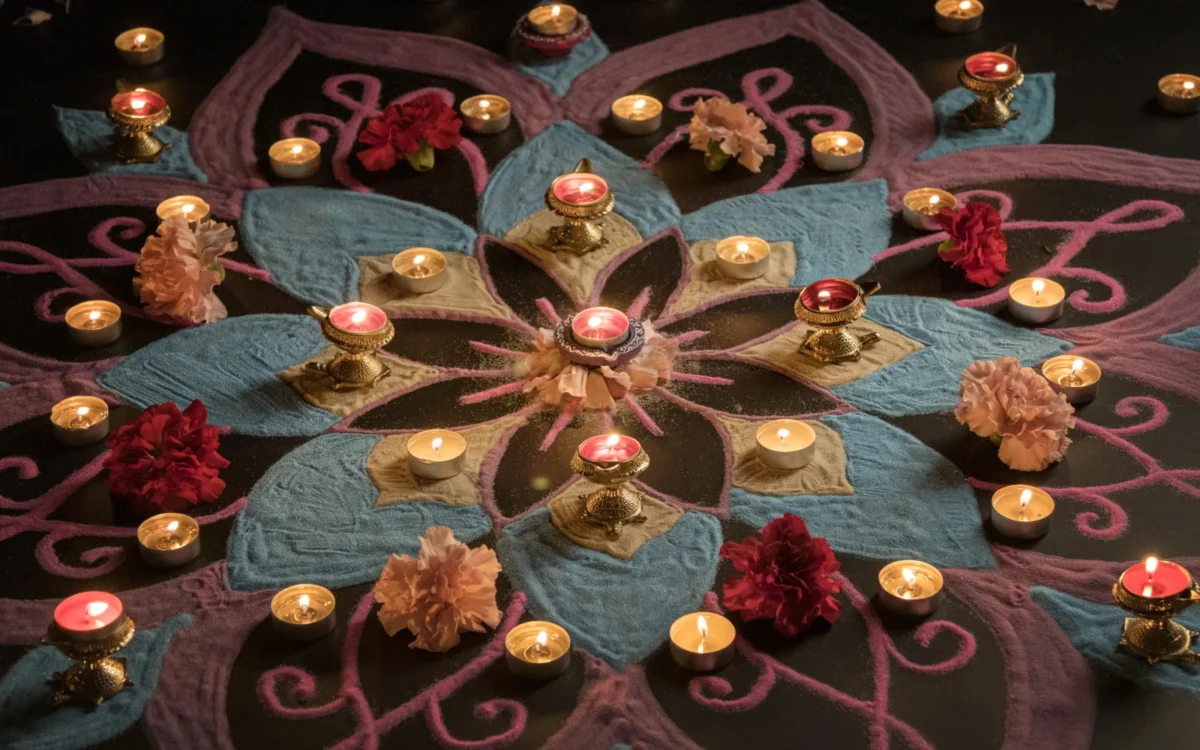
The best Diwali photography tips for any phone: turn the flash off, brace the phone, pull exposure down slightly so diya flames keep their detail, and use Night mode or Live Photo Long Exposure for fireworks. Lakshmi Puja is Sunday 8 November 2026, so you have five nights to practise.
Key takeaways
- Lakshmi Puja, the main day of Diwali 2026, is Sunday 8 November; the five-day run starts with Dhanteras on Friday 6 November.
- For diyas, tap the flame to focus, then drag the exposure slider down until the flame keeps its colour and shape.
- For fireworks, switch the flash off, brace the phone, and use Night mode or an iPhone Live Photo converted to Long Exposure instead of auto.
- For family portraits, use Portrait mode, put a diya near the faces, and shoot bursts for kids.
- Rehearse on Choti Diwali (Saturday 7 November) so these Diwali photography tips are tested before Sunday night, not tried for the first time.
| Main Diwali day (Lakshmi Puja), 2026 | Sunday, 8 November |
|---|---|
| Festival window | Dhanteras 6 Nov to Bhai Dooj 10 Nov 2026 |
| Best rehearsal night | Choti Diwali, Saturday 7 November |
| Flash | Off for diyas, rangoli and fireworks |
| Fireworks mode | Night mode or Live Photo Long Exposure, phone braced |
| Family portraits | Portrait mode plus burst for children |
Most Diwali photography guides are generic lists written for DSLRs. This one covers the four scenes that defeat phone cameras: diyas, rangoli, fireworks and family portraits in warm low light.
Diwali photography tips: which night to shoot what in 2026
The main day of Diwali 2026 is Sunday 8 November, according to The Old Farmer’s Almanac. Here is how the five days of the festival of lights map to photos.
| Day | Date | Festival | Photo opportunity |
|---|---|---|---|
| 1 | Fri 6 Nov 2026 | Dhanteras | Cleaning, new purchases, first diyas |
| 2 | Sat 7 Nov 2026 | Kali Chaudas / Choti Diwali | Rangoli and diya set-up, rehearse settings |
| 3 | Sun 8 Nov 2026 | Lakshmi Puja (main Diwali) | Diyas, family portraits, fireworks |
| 4 | Mon 9 Nov 2026 | Govardhan Puja / Bali Pratipada | Family gatherings, food |
| 5 | Tue 10 Nov 2026 | Bhai Dooj | Sibling portraits |
One caution. Vedantu notes the question is framed as 8 or 9 November because of amavasya timing, and concludes Diwali is on 8 November in India. Observance can still vary by region and family tradition, so check your local panchang.
Treat Saturday 7 November as a dress rehearsal: make the rangoli, light a few diyas, and test every setting below. Sunday should be the night you shoot, not the night you experiment. These Diwali photography tips work best in that order, with the rangoli photography tips below saved for Saturday morning before guests arrive.
How do you set up your phone before a Diwali shoot?
Wipe the lens, turn the grid on, switch the flash off, and check battery and storage. Then learn how your phone locks focus and exposure. Those five minutes decide whether the night’s photos are sharp or smeared. Many Diwali photography tips skip this part, yet it matters more than any fancy mode.
- Clean the lens. Ghee, oil and sweets end up on your fingers, and a smeared lens turns every diya into a hazy blob.
- Grid on. It keeps rangoli symmetrical and horizons straight. Find it in camera settings on iPhone and Android.
- Flash off. Flash flattens warm light and washes out flames and powder colours.
- Learn tap to focus. Tap the subject to set focus and exposure. On iPhone, a long press locks both. Android phones vary, so test yours.
- Free up space and charge. Night mode, burst mode and Live Photos eat storage fast.
- Skip digital zoom. Move closer or crop later, because zoomed shots look soft in low light.
A tripod for phone use is worth having, even a cheap pocket one. Otherwise a stack of books or a wall works for most scenes below.
Diya photography at home: how to keep the flame detail
The common failure is a diya flame that turns into a white blob. Your phone sees a tiny bright flame in a dark room and brightens everything. Of all the Diwali photography tips for lamps, taking control of exposure saves the most pictures. For diya photography at home, follow these steps.
- Brace the phone. A stack of books at the edge of the thali works. Low light means slower shutter speeds, and your hands will blur them.
- Tap the flame. This is tap to focus and it also sets exposure for the brightest spot.
- Drag the exposure slider down. This is exposure compensation. Lower it until the flame shows yellow and orange rather than white. RK Deals’ Diwali guide gives the same advice: reduce exposure if the flame looks too bright or loses detail.
- Try Portrait mode on one diya. India TV News recommends Portrait mode focused on the flame, which blurs the background into soft glowing dots.
- Change the angle. Shoot a row of diyas from a low angle, almost at flame height, for depth. Go overhead for a symmetrical pattern.
For close flame shots, try Night mode both on and off. It brightens the scene, which can overcook a flame, so keep whichever frame looks closer to what your eye saw. Keep the phone, your hands and loose dupattas away from open flames.
Rangoli photography tips: shoot it before the footfall
Shoot rangoli from directly above with the grid on, and do it early. Coloured powder or sand rangoli is a standard Diwali decoration, and it gets scuffed fast once guests arrive. Choti Diwali on 7 November is your cleanest window.
For rangoli photography, think flat-lay. Hold the phone parallel to the floor and line the grid with the rangoli’s edges. If one side looks wider than the other, you are tilted. Overhead and early are the two rangoli photography tips that matter most; shadow and colour come next.
Avoid your own shadow
Standing over the design, your body blocks the light. Stand so the main light source comes from the side, or use a doorway with daylight in the morning. Evening shoots work if you place diyas around the edges, though keep the phone high and clear of the flames.
Get the colours right
Warm bulbs push everything orange, and pinks and blues look muddy. In your phone’s editing tools or Pro mode, cool down the white balance for warm light a little. Don’t erase the warmth entirely, because that is the mood of the night.
Then take one low-angle shot with a diya in the foreground and the rangoli blurred behind it. That frame, one of the easiest Diwali photography tips to forget, often beats the overhead.
How to photograph fireworks with a phone
Flash off, phone braced, no digital zoom, and a long-exposure mode instead of plain auto. That is how to photograph fireworks with phone cameras and get bright bursts rather than grey smudges.
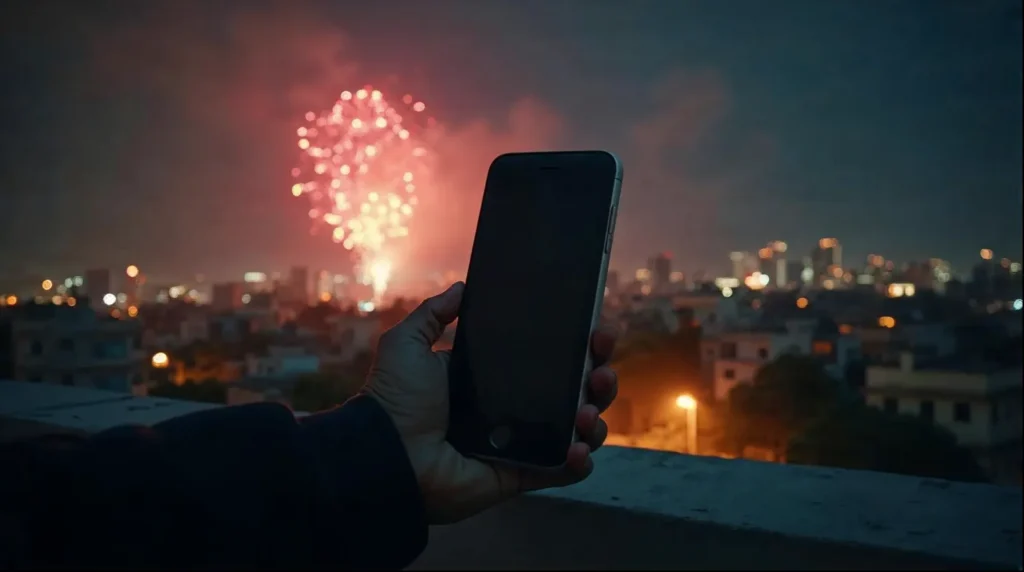
A 2026 fireworks guide from Finding the Universe explains why auto fails: it reads the dark sky as needing more light, which overexposes the bursts and blurs the movement. Its basic method is a braced phone and the built-in long-exposure feature.
iPhone steps: Live Photo Long Exposure and burst mode
For fireworks photography on iPhone, there are two reliable routes.
- Turn on Live Photo, brace the phone, and tap the shutter as a burst rises.
- Open the shot in Photos, tap the Live label and choose Long Exposure for a light-trails effect. Nire Donahue’s guide describes this method.
- For individual bursts, use burst mode. CyberGuy says on iPhone XS, XR, 11 and later you slide the shutter button left, and Settings has a Use Volume Up for Burst toggle.
Android steps: Night mode and Night Sight
On Pixel, use Night Sight. On Samsung and other phones, use Night mode. Keep the flash off, brace the phone, and hold still while the timer runs. Pro or manual mode, where your phone has it, lets you fix ISO and shutter speed.
I couldn’t verify exact Night mode seconds or ISO ranges for specific models, so I won’t invent them. CyberGuy notes camera apps manage ISO automatically unless you use a manual or pro mode. Test on Saturday and keep the setting that gives a clean frame.
No tripod? Brace and shoot bursts
Without a tripod you won’t get long light trails, but you can still get sharp bursts. Rest your elbows on a wall or railing. Phone long-exposure modes tolerate some wobble, per Finding the Universe.
Indian fireworks add their own problems. Smoke builds up as the night goes on, so the first rounds are cleanest. Crackers go off at close range, and ground-level anars and sparklers behave differently from sky shells. Shoot from a rooftop or a safe distance, never beside the crackers.
One of the most useful Diwali photography tips is a quick test: shoot the same balcony display three ways, auto with flash, Night mode on a tripod, and Live Photo Long Exposure. You’ll see the difference in one evening.
How do you take Diwali family photos in warm low light?
Use Portrait mode, move a diya or string light close to faces, and shoot bursts for children. Phones choose shutter speed automatically, so your low light photography phone settings come down to three choices: mode, light position and burst, which gives you a sharp frame among several.
The RK Deals guide suggests about 1/125 s or faster for family photos and 1/250 s or faster for moving children. Those are camera numbers, so on a phone, when kids move, hold the shutter and let burst do the work.
Good Diwali family photo ideas for a phone:
- Mother or grandmother lighting a diya, with the flame lighting her face.
- The family around the Lakshmi Puja thali, shot from slightly above.
- Kids holding diyas or sparklers, shot at arm’s length with burst on.
- Siblings on Bhai Dooj, Tuesday 10 November, in soft window light.
The orange cast is the usual complaint. Lower warmth slightly when editing and keep skin tones natural rather than yellow. Among Diwali photography tips for portraits, that edit and a diya near the face do most of the work. If you’re after Diwali photoshoot ideas with a polished finish, or a single large family portrait, a professional helps. Our guide to the best wedding photographers in Kerala is a useful starting list, since many also take festival and family bookings (check with each).
Related on Trendcrackers: Best Places to Visit in London: Top Ten Attractions · Muthoot Family Net Worth 2026: How Kerala’s Richest Business Family Built $9.2B
Low light photography phone settings: a cheat sheet by scene
Phones set most of this automatically, so your job is deciding what to tap, where to stand and which mode to pick. Use this as your quick reference for low light photography phone settings during Diwali. It condenses the Diwali photography tips from each section above.
| Scene | Mode | What to do |
|---|---|---|
| Diyas | Standard or Portrait | Tap the flame, drag exposure down, brace the phone |
| Rangoli | Standard, grid on | Shoot from above or low; cool the white balance a touch |
| Fireworks | Night mode, Night Sight or Live Photo Long Exposure | Flash off, brace the phone, no digital zoom |
| Family portraits | Portrait mode | Put a diya near faces and edit warmth down slightly |
| Kids and candids | Burst mode | Hold the shutter; guides suggest 1/250 s or faster on a camera, which the phone handles for you |
For diya photography at home, a braced phone matters more than any mode. When you pick your Diwali family photo ideas, set up the light before everyone gathers.
Flames, crackers and permission: shoot safely and politely
Keep hair, sleeves and phones clear of open flames. Firecracker rules differ by city, so check yours before planning a display. At temples and religious events, ask permission before photographing people, as Digital Camera World’s Diwali guide advises.
Diwali photography tips checklist: what to do on each night
Here is the plan in four lines.
- Saturday 7 November: follow the rangoli photography tips above before guests arrive, light a few diyas and test every setting.
- Sunday, before dark: wipe the lens, grid on, flash off, and set up the diya shot.
- Sunday, after Lakshmi Puja: shoot Portrait mode and bursts, with a diya near faces.
- Sunday, late: fireworks in Night mode or Live Photo Long Exposure, phone braced.
Follow these photography tips for Diwali in order and the festival of lights will look closer to how it felt.
What else people ask about Diwali photos on a phone
How do you photograph fireworks without a tripod?
Brace your elbows or the phone against a wall or railing, keep the flash off, and use burst mode or Night mode. You won't get long light trails without a tripod, but you can still capture sharp bursts.
Can you photograph fireworks in auto mode?
You can, but results are poor. Auto reads the dark sky as needing more light, which overexposes the bursts and blurs their movement. Switch to Night mode, or on iPhone convert a Live Photo to Long Exposure. Keep the flash off.
How do you photograph fireworks with an iPhone?
Turn on Live Photo, brace the phone, and shoot as the burst rises. In Photos, tap the Live label and choose Long Exposure for trails. For single bursts, slide the shutter button left for burst mode on iPhone XS, XR, 11 and later.
How do I take good photos of diyas at night with my phone?
Brace the phone on a stable surface, tap the flame to set focus and exposure, and drag the exposure slider down until the flame keeps its colour. Portrait mode focused on the flame gives a soft glowing background. Keep hands and phone away from the fire.
Should I turn the flash off for Diwali photos?
Yes, in almost every Diwali scene. Flash flattens the warm glow, washes out diya flames and rangoli colours, and ruins fireworks shots. Move a diya closer to faces for portraits instead.
When is Diwali in 2026?
The main day of Diwali 2026, Lakshmi Puja, is Sunday 8 November. The five days run from Dhanteras on 6 November to Bhai Dooj on 10 November. Some sources discuss 8 or 9 November because of amavasya timing, so check your local panchang.
Featured image: Image by magnific on Freepik